We use cookies to make your experience better.
To comply with the new e-Privacy directive, you agree to the privacy policy and our use of cookies.

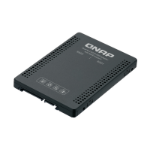
QNAP QDA-A2MAR storage drive enclosure SSD enclosure Black M.2
SKU
QDA-A2MAR

Login for pricing
In stock
2 x M.2 2280 SATA 6Gbps SSD, RAID 0/1, 100.5 x 69.9 x 9.5 mm, 0.1 kg
UNSPSC: 43201604
- Use two M.2 2280 SATA SSDs in a single 2.5-inch drive bay. (M.2 SSDs sold separately)
- Up to 6 Gb/s file transfer speeds. Can be the primary bootable device containing for PCs
- Choose a hardware RAID group with the disk mode switch
| SKU | QDA-A2MAR |
|---|---|
| EAN | 0885022017386 |
| Manufacturer | QNAP |
| Availability | In Stock |
| Product Manuals (HTML) |
View Manual |
| PDF URLs |
View PDF |
The QDA-A2MAR can accommodate two M.2 SATA SSDs within a single 2.5-inch SATA drive bay. No software driver is required for the QDA-A2MAR, and it can be installed in a PC/workstation (Windows®, Linux®) or QNAP NAS to flexibly add high-performance M.2 SATA SSDs with RAID configurations to meet various storage needs.
Supports various RAID levels
The QDA-A2MAR supports a variety of RAID configurations. Depending on your requirements, you can use the bundled metal pin as disk mode switch tool to select your ideal RAID mode: Individual, JBOD, RAID 0, or RAID 1. Windows® users can use the QNAP External RAID Manager utility to view the RAID group status and disk health information.
Install in a PC/workstation for higher performance or data protection
When using two M.2 SSDs instead of a single 2.5-inch drive in a PC/workstation (Windows® or Linux®) you can create a RAID 0 for enhanced performance, or RAID 1 to add data redundancy for greater data protection. The M.2 SSDs also help achieve maximized performance and lower latency, ideal for on-the-fly video editing and server-grade applications.
External RAID Manager for Windows users
The QNAP External RAID Manager utility allows Windows® users to view the drive status and RAID information of the QDA-A2MAR. Firmware updates for the QDA-A2MAR can also be managed with the External RAID Manager utility.
Install in QNAP NAS for efficient storage or SSD caching
The QDA-A2MAR supports hardware RAID that will not consume CPU resources to help sustain optimal NAS performance. You can install one or more QDA-A2MAR in a NAS to maximize the storage utilization of available 2.5-inch drive bays. The QDA-A2MAR can accommodate two M.2 SSDs to create an SSD volume for performance-demanding workflows or work in an efficient tiered-storage environment with Qtier. It can also boost IOPS performance when configuring SSD caching. RAID information and disk health of the QDA-A2MAR can be monitored through the QTS Storage & Snapshots Manager.
Supports various RAID levels
The QDA-A2MAR supports a variety of RAID configurations. Depending on your requirements, you can use the bundled metal pin as disk mode switch tool to select your ideal RAID mode: Individual, JBOD, RAID 0, or RAID 1. Windows® users can use the QNAP External RAID Manager utility to view the RAID group status and disk health information.
Install in a PC/workstation for higher performance or data protection
When using two M.2 SSDs instead of a single 2.5-inch drive in a PC/workstation (Windows® or Linux®) you can create a RAID 0 for enhanced performance, or RAID 1 to add data redundancy for greater data protection. The M.2 SSDs also help achieve maximized performance and lower latency, ideal for on-the-fly video editing and server-grade applications.
External RAID Manager for Windows users
The QNAP External RAID Manager utility allows Windows® users to view the drive status and RAID information of the QDA-A2MAR. Firmware updates for the QDA-A2MAR can also be managed with the External RAID Manager utility.
Install in QNAP NAS for efficient storage or SSD caching
The QDA-A2MAR supports hardware RAID that will not consume CPU resources to help sustain optimal NAS performance. You can install one or more QDA-A2MAR in a NAS to maximize the storage utilization of available 2.5-inch drive bays. The QDA-A2MAR can accommodate two M.2 SSDs to create an SSD volume for performance-demanding workflows or work in an efficient tiered-storage environment with Qtier. It can also boost IOPS performance when configuring SSD caching. RAID information and disk health of the QDA-A2MAR can be monitored through the QTS Storage & Snapshots Manager.
| Storage | |
|---|---|
| Number of storage drives supported | 2 |
| Storage drive size | M.2 |
| Supported storage drive interfaces | M.2 |
| RAID levels | 0, 1 |
| Ports & interfaces | |
| USB connectivity | No |
| Technical details | |
| RAID levels | 0, 1 |
| Data transfer rate | 6 Gbit/s |
| Product colour | Black |
| Harmonized System (HS) code | 84733080 |
| Design | |
| Product type | SSD enclosure |
| Product colour | Black |
| Performance | |
|---|---|
| Data transfer rate | 6 Gbit/s |
| System requirements | |
| Windows operating systems supported | Windows 10, Windows 7, Windows 8, Windows 8.1 |
| Linux operating systems supported | Yes |
| Weight & dimensions | |
| Weight | 3.53 oz (100 g) |
| Width | 2.75" (69.9 mm) |
| Depth | 3.96" (100.5 mm) |
| Height | 0.374" (9.5 mm) |
| Packaging content | |
| Screws included | Yes |
| Manual | Yes |
| Logistics data | |
| Harmonized System (HS) code | 84733080 |
You may also be interested in
| Product |
New
QNAP QDA-A2MAR storage drive enclosure...
Login for pricing
|
Bestseller
StarTech.com S351BMU33ET storage drive...
Login for pricing
|
 QNAP QDA-A2AR storage drive enclosure...
Login for pricing
QNAP QDA-A2AR storage drive enclosure...
Login for pricing
|
 Icy Dock MB830SP-B storage drive enclo...
Login for pricing
Icy Dock MB830SP-B storage drive enclo...
Login for pricing
|
Popular
StarTech.com M2E1BRU31C storage drive...
Login for pricing
|
Hot Product
Siig JU-SA0X11-S1 storage drive enclos...
Login for pricing
|
|---|---|---|---|---|---|---|
| SKU |
QDA-A2MAR
|
S351BMU33ET
|
QDA-A2AR
|
MB830SP-B
|
M2E1BRU31C
|
JU-SA0X11-S1
|
| Manufacturer |
QNAP
|
StarTech.com
|
QNAP
|
Icy Dock
|
StarTech.com
|
Siig
|
| Storage drive size |
M.2 "
|
3.5 "
|
2.5 "
|
3.5 "
|
M.2 "
|
M.2 "
|
| Product type |
SSD enclosure
|
HDD enclosure
|
HDD/SSD enclosure
|
HDD enclosure
|
SSD enclosure
|
SSD enclosure
|
| Supported storage drive interfaces |
M.2
|
N/A
|
Serial ATA III
|
N/A
|
PCI Express 3.0
|
PCI Express 3.0
|