We use cookies to make your experience better.
To comply with the new e-Privacy directive, you agree to the privacy policy and our use of cookies.

GIGABYTE Z790 UD AC motherboard Intel Z790 LGA 1700 ATX
SKU
Z790 UD AC

Login for pricing
In stock
ATX, LGA 1700 socket, Intel Z790 Express chipset, 4x DDR5 DIMM, Wi-Fi 5, AMI UEFI BIOS
UNSPSC: 43201513
- Intel® Socket LGA 1700: Support 13th and 12th Gen Series Processors
- Unparalleled Performance: Twin 16+1+1 Phases Digital VRM Solution
- Dual Channel DDR5: 4*SMD DIMMs with XMP 3.0 Memory Module Support
- Next Generation Storage: 3*PCIe 4.0 x4 M.2 Connectors
- Advanced Thermal Design & M.2 Thermal Guard: To Ensure VRM Power Stability & M.2 SSD Performance
- EZ-Latch Plus: PCIe 5.0 x16 Slot with Quick Release & Screwless Design
- Fast Networks: 2.5GbE LAN & Wi-Fi 802.11ac
- Extended Connectivity: DP, HDMI, Front USB-C® 5Gb/s, Rear USB-C® 20Gb/s
- Smart Fan 6: Features Multiple Temperature Sensors, Hybrid Fan Headers with FAN STOP
- Q-Flash Plus: Update BIOS Without Installing the CPU, Memory, and Graphics Card
| SKU | Z790 UD AC |
|---|---|
| EAN | 0889523034460 |
| Manufacturer | Gigabyte |
| Availability | In Stock |
| PDF URLs |
View PDF |
UNPARALLELED PERFORMANCE
With the fast-moving technology changes, GIGABYTE always follows the latest trends and provides customers with advanced features and latest technologies. GIGABYTE motherboards are equipped with upgraded power solution, latest storage standards and outstanding connectivity to enable optimized performance for gaming.
To ensure maximum Turbo Boost and overclocking performance of Intel's new generation CPU, GIGABYTE UD series motherboard equip the best VRM design ever built with the highest quality components.
Shielded Memory Routing
All memory routing is under the PCB inner layer shielded by a large ground layer to protect from external interference.
Impedance Optimized Topology
By optimizing memory trace width, length and style from HPC simulation to actual implementation, overall impedance is lowered between CPU memory controller and memory modules to achieve higher DDR5 speed.
Low Signal Loss PCB
Server grade mid-loss or low-loss PCB material is chosen to lower signal loss inside PCB and maintain DDR5 high speed signal transmission.
Hybrid Cores Optimization
With new Intel Hybrid technology, GIGABYTE exclusively creates two new "CPU Upgrade" in BIOS profiles to meet different users’ scenarios by adjusting P-Core and E-Core activation and voltage policy.
OUTSTANDING THERMAL DESIGN
GIGABYTE Motherboards' unparalleled performance is guaranteed by innovative and optimized thermal design to ensure the best CPU, Chipset, SSD stability and low temperatures under full load application and gaming performance.
4X Large Surface
Increased surface area up to 4X larger compared to traditional heatsinks. It improves heat dissipation from the MOSFETs.
Real One-piece Build
TMOS is a TRUE single piece heatsink. Its one-piece design and larger surface drastically improve the cooling performance against competitors’ multi-piece design.
GIGABYTE Ultra-Efficient M.2 Thermal Guard
With durability in mind, GIGABYTE provides a thermal solution for M.2 SSD devices. The M.2 Thermal Guard prevents throttling and bottlenecks from high speed M.2 SSDs as it helps to dissipate heat before it becomes an issue.
Smart Fan 6 BIOS UI
1. Improve fan curve UI
We increase control points from 5 to 7 and larger fan speed graph for precise and easier fan curve control.
2. Slope/Stair dual graph mode
Fan curve can be quickly switch with Slope and Stair modes for different user scenario. Slope is traditional and intuitive linear fan speed curve. With newly added Stair non-linear mode, fan keeps at same speed between specified temperature interval.
3. Manual Input
For advanced users, we provide fan speed manual input for more precise control.
4. EZ Tuning
Use can place 4 EZ Tuning points at rough temperature/fan speed, and Smart Fan 6 can quickly generate a fan curve.
5. Fan curve profile
Fan curve profile can be saved in BIOS ROM, profile will be kept after updating BIOS.
CONNECTIVITY
GIGABYTE Motherboards enable the ultimate connection experience with blazing data-transfer speeds through the next generation network, storage, and Wi-Fi connectivity.
Intel® Dual Band 802.11ac Wi-Fi
The onboard 802.11ac Wi-Fi module from Intel® supports Dual Band and up to 1.73Gbps, 5x faster Wi-Fi speed than 802.11n and also support BLUETOOTH 5.
First adopter on 2.5GbE LAN onboard
2X Faster than ever
- Adoption of 2.5G LAN provide up to 2.5 GbE network connectivity, with at least 2 times faster transfer speeds compared to general 1GbE networking, perfectly designed for gamers with ultimate online gaming experience.
- Support Multi-Gig(10/100/1000/2500Mbps) RJ-45 Ethernet
Connecting the Future - USB 3.2 Gen 2x2 Type-C®
Featuring the USB 3.2 Gen 2x2 design which is doubled the performance than previous generation of USB 3.2 Gen 2. It works up to 20Gbps ultra-fast data transfer while connecting to USB 3.2 compliant peripherals. Through the USB Type-C® connector, users can enjoy the flexibility of reversible connection to access and store massive amounts of data rapidly.
High-End Audio Capacitors
GIGABYTE motherboards use high-end audio capacitors. These high quality capacitors help deliver high resolution and high fidelity audio to provide the most realistic sound effects for gamers.
Audio Noise Guard
GIGABYTE motherboards feature an audio noise guard that essentially separates the board’s sensitive analog audio components from potential noise pollution at the PCB level.
PERSONALIZATION
GIGABYTE motherboards bundle several useful and intuitive software to help users to control every aspect of motherboard and provide customizable lighting effect with outstanding aesthetics to fit your unique personality.
RGB Fusion Multi-Zone Light Show Design
Now offering more LED customizations than ever, users can truly adapt their PC to represent their lifestyle. With full RGB support and a redesigned RGB Fusion 2.0 application, the user has complete control over the LEDs which surround the motherboard.
Friendly User Interface
The EASY MODE shows important hardware information in one page including CPU clock, Memory, Storage, Fan.
My Favorites
Add constantly used items into the favorite menu for quick access.
Storage Information
Show all kinds of storage information including SATA, PCIE and M.2 interface.
Changelog
List all changes before saving and exiting bios. Quickly review overall settings modification.
Intuitive Load Line Curve
Clearly show each loadline calibration setting in an intuitive curve graph.
GIGABYTE CONTROL CENTER (GCC) is a unified software for all GIGABYTE supported products. It provides newly designed intuitive user interface to control all essential function.
- Unified software platform for all Gigabyte supported products
- Intuitive user interface for an eased experience
- Modularized control components only for installed hardware
- Auto update function to keep system up to date and support future products
Multi-key
A multi-function reset button that can be reconfigured to other function in BIOS for different user scenarios.
- RGB Switch
Turn off all lighting effect on motherboard.
- Direct-To-BIOS
Boot into BIOS menu directly without pressing any keyboard button.
- Safe Mode
Boot into BIOS safe mode to change specific option without losing other BIOS settings.
ULTRA DURABLE
GIGABYTE Ultra Durable™ design provides product durability and high-quality manufacturing process. GIGABYTE motherboards use the best components and reinforce every slots to make each of them solid and durable.
PCIe EZ-Latch
Unlock the latch of the PCIe slot easily when remove the graphics card in the PCIe slot.
Q-Flash Plus
Update the BIOS easily without installing the CPU, memory and graphics card.
With GIGABYTE Q-Flash Plus, you don't need to install the CPU, memory and graphics card nor enter the BIOS menu to flash the BIOS. Just download and save a new BIOS file (rename to gigabyte.bin) on the USB flash drive, then press the dedicated Q-Flash Plus button and you’re good to go!
With the fast-moving technology changes, GIGABYTE always follows the latest trends and provides customers with advanced features and latest technologies. GIGABYTE motherboards are equipped with upgraded power solution, latest storage standards and outstanding connectivity to enable optimized performance for gaming.
To ensure maximum Turbo Boost and overclocking performance of Intel's new generation CPU, GIGABYTE UD series motherboard equip the best VRM design ever built with the highest quality components.
Shielded Memory Routing
All memory routing is under the PCB inner layer shielded by a large ground layer to protect from external interference.
Impedance Optimized Topology
By optimizing memory trace width, length and style from HPC simulation to actual implementation, overall impedance is lowered between CPU memory controller and memory modules to achieve higher DDR5 speed.
Low Signal Loss PCB
Server grade mid-loss or low-loss PCB material is chosen to lower signal loss inside PCB and maintain DDR5 high speed signal transmission.
Hybrid Cores Optimization
With new Intel Hybrid technology, GIGABYTE exclusively creates two new "CPU Upgrade" in BIOS profiles to meet different users’ scenarios by adjusting P-Core and E-Core activation and voltage policy.
OUTSTANDING THERMAL DESIGN
GIGABYTE Motherboards' unparalleled performance is guaranteed by innovative and optimized thermal design to ensure the best CPU, Chipset, SSD stability and low temperatures under full load application and gaming performance.
4X Large Surface
Increased surface area up to 4X larger compared to traditional heatsinks. It improves heat dissipation from the MOSFETs.
Real One-piece Build
TMOS is a TRUE single piece heatsink. Its one-piece design and larger surface drastically improve the cooling performance against competitors’ multi-piece design.
GIGABYTE Ultra-Efficient M.2 Thermal Guard
With durability in mind, GIGABYTE provides a thermal solution for M.2 SSD devices. The M.2 Thermal Guard prevents throttling and bottlenecks from high speed M.2 SSDs as it helps to dissipate heat before it becomes an issue.
Smart Fan 6 BIOS UI
1. Improve fan curve UI
We increase control points from 5 to 7 and larger fan speed graph for precise and easier fan curve control.
2. Slope/Stair dual graph mode
Fan curve can be quickly switch with Slope and Stair modes for different user scenario. Slope is traditional and intuitive linear fan speed curve. With newly added Stair non-linear mode, fan keeps at same speed between specified temperature interval.
3. Manual Input
For advanced users, we provide fan speed manual input for more precise control.
4. EZ Tuning
Use can place 4 EZ Tuning points at rough temperature/fan speed, and Smart Fan 6 can quickly generate a fan curve.
5. Fan curve profile
Fan curve profile can be saved in BIOS ROM, profile will be kept after updating BIOS.
CONNECTIVITY
GIGABYTE Motherboards enable the ultimate connection experience with blazing data-transfer speeds through the next generation network, storage, and Wi-Fi connectivity.
Intel® Dual Band 802.11ac Wi-Fi
The onboard 802.11ac Wi-Fi module from Intel® supports Dual Band and up to 1.73Gbps, 5x faster Wi-Fi speed than 802.11n and also support BLUETOOTH 5.
First adopter on 2.5GbE LAN onboard
2X Faster than ever
- Adoption of 2.5G LAN provide up to 2.5 GbE network connectivity, with at least 2 times faster transfer speeds compared to general 1GbE networking, perfectly designed for gamers with ultimate online gaming experience.
- Support Multi-Gig(10/100/1000/2500Mbps) RJ-45 Ethernet
Connecting the Future - USB 3.2 Gen 2x2 Type-C®
Featuring the USB 3.2 Gen 2x2 design which is doubled the performance than previous generation of USB 3.2 Gen 2. It works up to 20Gbps ultra-fast data transfer while connecting to USB 3.2 compliant peripherals. Through the USB Type-C® connector, users can enjoy the flexibility of reversible connection to access and store massive amounts of data rapidly.
High-End Audio Capacitors
GIGABYTE motherboards use high-end audio capacitors. These high quality capacitors help deliver high resolution and high fidelity audio to provide the most realistic sound effects for gamers.
Audio Noise Guard
GIGABYTE motherboards feature an audio noise guard that essentially separates the board’s sensitive analog audio components from potential noise pollution at the PCB level.
PERSONALIZATION
GIGABYTE motherboards bundle several useful and intuitive software to help users to control every aspect of motherboard and provide customizable lighting effect with outstanding aesthetics to fit your unique personality.
RGB Fusion Multi-Zone Light Show Design
Now offering more LED customizations than ever, users can truly adapt their PC to represent their lifestyle. With full RGB support and a redesigned RGB Fusion 2.0 application, the user has complete control over the LEDs which surround the motherboard.
Friendly User Interface
The EASY MODE shows important hardware information in one page including CPU clock, Memory, Storage, Fan.
My Favorites
Add constantly used items into the favorite menu for quick access.
Storage Information
Show all kinds of storage information including SATA, PCIE and M.2 interface.
Changelog
List all changes before saving and exiting bios. Quickly review overall settings modification.
Intuitive Load Line Curve
Clearly show each loadline calibration setting in an intuitive curve graph.
GIGABYTE CONTROL CENTER (GCC) is a unified software for all GIGABYTE supported products. It provides newly designed intuitive user interface to control all essential function.
- Unified software platform for all Gigabyte supported products
- Intuitive user interface for an eased experience
- Modularized control components only for installed hardware
- Auto update function to keep system up to date and support future products
Multi-key
A multi-function reset button that can be reconfigured to other function in BIOS for different user scenarios.
- RGB Switch
Turn off all lighting effect on motherboard.
- Direct-To-BIOS
Boot into BIOS menu directly without pressing any keyboard button.
- Safe Mode
Boot into BIOS safe mode to change specific option without losing other BIOS settings.
ULTRA DURABLE
GIGABYTE Ultra Durable™ design provides product durability and high-quality manufacturing process. GIGABYTE motherboards use the best components and reinforce every slots to make each of them solid and durable.
PCIe EZ-Latch
Unlock the latch of the PCIe slot easily when remove the graphics card in the PCIe slot.
Q-Flash Plus
Update the BIOS easily without installing the CPU, memory and graphics card.
With GIGABYTE Q-Flash Plus, you don't need to install the CPU, memory and graphics card nor enter the BIOS menu to flash the BIOS. Just download and save a new BIOS file (rename to gigabyte.bin) on the USB flash drive, then press the dedicated Q-Flash Plus button and you’re good to go!
| Internal I/O | |
|---|---|
| Number of M.2 (M) slots | 3 |
| Thunderbolt headers | 2 |
| USB 3.2 Gen 2 (3.1 Gen 2) connectors | 1 |
| Front panel connector | Yes |
| 12V power connector | Yes |
| Supported storage drive interfaces | M.2, PCI Express 4.0, SATA III |
| USB 2.0 connectors | 2 |
| USB 3.2 Gen 1 (3.1 Gen 1) connectors | 1 |
| TPM connector | Yes |
| Serial port headers | 1 |
| S/PDIF out connector | Yes |
| Number of SATA III connectors | 6 |
| Front panel audio connector | Yes |
| EPS power connector (8-pin) | Yes |
| CPU fan connector | Yes |
| ATX Power connector (24-pin) | Yes |
| RGB LED pin header | Yes |
| Technical details | |
| Motherboard chipset family | Intel |
| Motherboard chipset | Intel Z790 |
| Supported processor sockets | LGA 1700 |
| Serial port headers | 1 |
| PC health monitoring | Fan, Temperature, Voltage, Water cooling |
| Parallel processing technology support | Crossfire |
| HDMI version | 2.0 |
| Motherboard form factor | ATX |
| Component for | PC |
| Audio | |
| Audio output channels | 7.1 channels |
| Performance | |
| Supported storage drive types | HDD & SSD |
| Motherboard chipset family | Intel |
| Motherboard chipset | Intel Z790 |
| RAID levels | 0, 1, 5, 10 |
| Windows operating systems supported | Windows 10 x64, Windows 11 x64 |
| Supported processor sockets | LGA 1700 |
| PC health monitoring | Fan, Temperature, Voltage, Water cooling |
| Audio output channels | 7.1 channels |
| Motherboard form factor | ATX |
| Component for | PC |
| Processor | |
| Processor manufacturer | Intel |
| Compatible processor series | Intel® Celeron®, Intel® Core™ i3, Intel® Core™ i5, Intel® Core™ i7, Intel® Core™ i9, Intel® Pentium® Gold |
| Supported processor sockets | LGA 1700 |
| Processor socket | LGA 1700 |
| Memory | |
| Number of memory slots | 4 |
| Memory slots type | DIMM |
| Supported memory types | DDR5-SDRAM |
| Memory channels | Dual-channel |
| ECC | Yes |
| Non-ECC | Yes |
| Supported memory clock speeds | 4000,4800,5200,5400,5600,5800,6000,6200,6400,6600,6800,7000,7200,7400,7600 MHz |
| Maximum internal memory | 128 GB |
| Unbuffered memory | Yes |
| Supported memory clock speed (max) | 7600 MHz |
| Storage controllers | |
| Supported storage drive types | HDD & SSD |
| Supported storage drive interfaces | M.2, PCI Express 4.0, SATA III |
| RAID levels | 0, 1, 5, 10 |
| Number of storage drives supported | 9 |
| RAID support | Yes |
| Graphics | |
| Parallel processing technology support | Crossfire |
| Maximum resolution | 4096 x 2304 pixels |
| HDCP | Yes |
| Rear panel I/O ports | |
|---|---|
| USB 3.2 Gen 1 (3.1 Gen 1) Type-A ports quantity | 4 |
| USB 3.2 Gen 2 (3.1 Gen 2) Type-A ports quantity | 1 |
| DisplayPort version | 1.2 |
| USB connector type | USB Type-A, USB Type-C |
| USB 2.0 ports quantity | 4 |
| WiFi-AP antenna jack | 2 |
| Microphone in | Yes |
| Headphone outputs | 3 |
| HDMI version | 2.0 |
| HDMI ports quantity | 1 |
| Ethernet LAN (RJ-45) ports | 1 |
| DisplayPorts quantity | 1 |
| USB 3.2 Gen 2x2 Type-C ports quantity | 1 |
| Network | |
| Ethernet LAN | Yes |
| Wi-Fi | Yes |
| Wi-Fi standards | 802.11a, 802.11b, 802.11g, Wi-Fi 4 (802.11n), Wi-Fi 5 (802.11ac) |
| Ethernet interface type | 2.5 Gigabit Ethernet |
| Bluetooth | Yes |
| Bluetooth version | 5.1 |
| Top Wi-Fi standard | Wi-Fi 5 (802.11ac) |
| WLAN controller model | Intel Dual Band Wireless-AC 9560 |
| Features | |
| Motherboard chipset family | Intel |
| Motherboard chipset | Intel Z790 |
| Windows operating systems supported | Windows 10 x64, Windows 11 x64 |
| Supported processor sockets | LGA 1700 |
| PC health monitoring | Fan, Temperature, Voltage, Water cooling |
| Audio output channels | 7.1 channels |
| Motherboard form factor | ATX |
| Component for | PC |
| Expansion slots | |
| Number of M.2 (M) slots | 3 |
| PCI Express x16 slots | 4 |
| PCI Express x1 slots | 2 |
| BIOS | |
| BIOS type | UEFI AMI |
| Clear CMOS jumper | Yes |
| BIOS memory size | 256 Mbit |
| ACPI version | 5.0 |
| System Management BIOS (SMBIOS) version | 2.7 |
| Desktop Management Interface (DMI) version | 2.7 |
| Video | |
| Maximum resolution | 4096 x 2304 pixels |
| HDCP | Yes |
| Software | |
| Windows operating systems supported | Windows 10 x64, Windows 11 x64 |
| Weight & dimensions | |
| Width | 12" (305 mm) |
| Depth | 9.61" (244 mm) |
| Packaging content | |
| Cables included | SATA |
You may also be interested in
| Product |
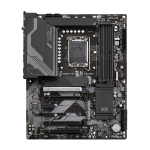 GIGABYTE Z790 UD AC motherboard Intel...
Login for pricing
GIGABYTE Z790 UD AC motherboard Intel...
Login for pricing
|
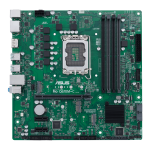 ASUS PRO Q670M-C-CSM Intel Q670 LGA 17...
Login for pricing
ASUS PRO Q670M-C-CSM Intel Q670 LGA 17...
Login for pricing
|
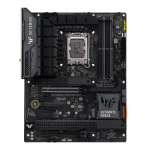 ASUS TUF GAMING Z790-PLUS WIFI Intel Z...
Login for pricing
ASUS TUF GAMING Z790-PLUS WIFI Intel Z...
Login for pricing
|
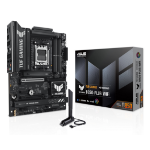 ASUS TUF GAMING B850-PLUS WIFI AMD B85...
Login for pricing
ASUS TUF GAMING B850-PLUS WIFI AMD B85...
Login for pricing
|
|---|---|---|---|---|
| SKU |
Z790 UD AC
|
PRO Q670M-C-CSM
|
TUF GAMING Z790-PLUS WIFI
|
TUF GAMING B850-PLUS WIFI
|
| Manufacturer |
Gigabyte
|
ASUS
|
ASUS
|
ASUS
|
| Processor manufacturer |
Intel
|
Intel
|
Intel
|
AMD
|
| Motherboard form factor |
ATX
|
micro ATX
|
ATX
|
ATX
|
| Processor socket |
LGA 1700
|
LGA 1700
|
LGA 1700
|
Socket AM5
|
| Supported memory types |
DDR5-SDRAM
|
DDR5-SDRAM
|
DDR5-SDRAM
|
DDR5-SDRAM
|
| Component for |
PC
|
PC
|
PC
|
PC
|
| Number of memory slots |
4 to 6
|
4 to 6
|
4 to 6
|
4 to 6
|