We use cookies to make your experience better.
To comply with the new e-Privacy directive, you agree to the privacy policy and our use of cookies.

Acer NITRO VG0 VG280K computer monitor 28" 3840 x 2160 pixels 4K Ultra HD Black
SKU
UM.PV0AA.001

Login for pricing
In stock
Acer Nitro VG0 VG280K, 28" 4K UHD IPS, 4ms, AMD Free-Sync, 31 W
UNSPSC: 43211902
- 28" 4K UHD (3840 x 2160)
- IPS with 4ms response time
- AMD Free-Sync
- ZeroFrame architecture
- An Ergonomic Edge
- Impactful Sound
- Fast-paced Frames
- Acer Display Widget
Show off your AMD FreeSync™ finesse with the fast refresh rate and ZeroFrame architecture of the Nitro VG0 Series monitor.
So Much to See
Take in the full view of the display with its ZeroFrame design atop the sharply-cut three-pronged stand.
Firmly Planted
The three-pronged stand saves on desk space without sacrificing on style.
Goodbye to Bezels
The ZeroFrame design makes for a near-seamless look, allowing you to see more of what matters most: the screen.
An Ergonomic Edge
Good monitors should cause little to no strain. With a tilt of -5° to 20°, you can put your mind, and your neck, at ease.
Impactful Sound
What you hear is just as good as what you see with the power of the dual 2 watt built-in speaker system.
Lightning Fast Freesync
Discover the joys of a seamless game experience with AMD FreeSync™, in vivid IPS, with refresh rates of up to 144Hz.
Yes, Resolution Matters
Choose from resolutions ranging from Full HD up to 41 in vibrant, color-accurate IPS. Which one calls to you?
Fast-paced Frames
With a 144Hz refresh rate and 1ms Visual Response Boost™ (VRB) technology, gameplay is seamless and practically blur-free.
Superbly Synced
Radeon™ FreeSync ends choppy gameplay and broken frames with fluid, artifact-free performance at virtually any framerate.
Adjustments On The Fly
No need to fiddle with buttons. Easily modify your monitor settings via the Display Widget utility software.
With four control sections the Acer Display Widget gives users a more intuitive method of configuring their monitors.
Choose Your Mode
Use the pre-configured options to select the best display mode for activities you’re using the monitor for.
Customizable Settings
Adjust and save the blue light, brightness, contrast, six-axis color, saturation and others details through this tab.
Application Specific Modes
Assign specific modes to individual applications.
Automatic Color Adjustment
When switching between different applications, the specified color settings of the application will automatically change.
Split Screen
Choose from a range of 11 pre-configured screen splits so you can make the most from your screen real estate and assign them different modes.
So Much to See
Take in the full view of the display with its ZeroFrame design atop the sharply-cut three-pronged stand.
Firmly Planted
The three-pronged stand saves on desk space without sacrificing on style.
Goodbye to Bezels
The ZeroFrame design makes for a near-seamless look, allowing you to see more of what matters most: the screen.
An Ergonomic Edge
Good monitors should cause little to no strain. With a tilt of -5° to 20°, you can put your mind, and your neck, at ease.
Impactful Sound
What you hear is just as good as what you see with the power of the dual 2 watt built-in speaker system.
Lightning Fast Freesync
Discover the joys of a seamless game experience with AMD FreeSync™, in vivid IPS, with refresh rates of up to 144Hz.
Yes, Resolution Matters
Choose from resolutions ranging from Full HD up to 41 in vibrant, color-accurate IPS. Which one calls to you?
Fast-paced Frames
With a 144Hz refresh rate and 1ms Visual Response Boost™ (VRB) technology, gameplay is seamless and practically blur-free.
Superbly Synced
Radeon™ FreeSync ends choppy gameplay and broken frames with fluid, artifact-free performance at virtually any framerate.
Adjustments On The Fly
No need to fiddle with buttons. Easily modify your monitor settings via the Display Widget utility software.
With four control sections the Acer Display Widget gives users a more intuitive method of configuring their monitors.
Choose Your Mode
Use the pre-configured options to select the best display mode for activities you’re using the monitor for.
Customizable Settings
Adjust and save the blue light, brightness, contrast, six-axis color, saturation and others details through this tab.
Application Specific Modes
Assign specific modes to individual applications.
Automatic Color Adjustment
When switching between different applications, the specified color settings of the application will automatically change.
Split Screen
Choose from a range of 11 pre-configured screen splits so you can make the most from your screen real estate and assign them different modes.
| Audio | |
|---|---|
| Built-in speaker(s) | Yes |
| RMS rated power | 2 W |
| Performance | |
| Built-in speaker(s) | Yes |
| RMS rated power | 2 W |
| AMD FreeSync type | FreeSync |
| AMD FreeSync | Yes |
| Game mode | Yes |
| Smart modes | Custom, Energy saving, Graphics, Movie, Standard |
| Display | |
| Display brightness (typical) | 300 cd/m² |
| Screen shape | Flat |
| Dynamic contrast ratio marketing name | Adaptive Contrast Management (ACM) |
| Display number of colours | 1.07 billion colors |
| Native aspect ratio | 16:9 |
| HD type | 4K Ultra HD |
| Contrast ratio (typical) | 1000:1 |
| Contrast ratio (dynamic) | 100000000:1 |
| Viewing angle, horizontal | 178° |
| Viewing angle, vertical | 178° |
| Aspect ratio | 16:9 |
| Supported graphics resolutions | 3840 x 2160 |
| Backlight type | LED |
| Display resolution | 3840 x 2160 pixels |
| Response time | 4 ms |
| Display diagonal | 28" |
| Response time (fast) | 4 ms |
| Touchscreen | No |
| High Dynamic Range (HDR) supported | Yes |
| Panel type | IPS |
| High Dynamic Range (HDR) technology | High Dynamic Range 10 (HDR10) |
| Multimedia | |
| Number of speakers | 2 |
| Built-in speaker(s) | Yes |
| RMS rated power | 2 W |
| Design | |
| Market positioning | Gaming |
| Certification | MPR II |
| Product colour | Black |
| Frameless design | Yes |
| Ports & interfaces | |
| Headphone out | Yes |
| HDMI ports quantity | 1 |
| DisplayPorts quantity | 1 |
| Headphone outputs | 1 |
| HDMI | Yes |
| AC (power) in | Yes |
| Technical details | |
| Height (without stand) | 14.6" (371.1 mm) |
| Depth (without stand) | 2.68" (68.1 mm) |
| Width (without stand) | 25" (635 mm) |
| HDMI | Yes |
| Product colour | Black |
| Game mode | Yes |
| Weight (with stand) | 12.1 lbs (5.49 kg) |
| Touchscreen | No |
| Ergonomics | |
|---|---|
| VESA mounting | Yes |
| Panel mounting interface | 100 x 100 mm |
| Tilt angle range | -5 - 20° |
| Tilt adjustment | Yes |
| Power | |
| Power consumption (standby) | 0.5 W |
| Power consumption (typical) | 31 W |
| Power consumption (off) | 0.35 W |
| Energy efficiency class (SDR) | G |
| Energy efficiency class (HDR) | G |
| Energy consumption (SDR) per 1000 hours | 33 kWh |
| Energy consumption (HDR) per 1000 hours | 49 kWh |
| European Product Registry for Energy Labelling (EPREL) code | 427713 |
| Weight & dimensions | |
| Height (without stand) | 14.6" (371.1 mm) |
| Depth (without stand) | 2.68" (68.1 mm) |
| Width (without stand) | 25" (635 mm) |
| Width (with stand) | 25.1" (637.5 mm) |
| Depth (with stand) | 9.4" (238.8 mm) |
| Height (with stand) | 18.1" (459.7 mm) |
| Weight (with stand) | 12.1 lbs (5.49 kg) |
| Weight (without stand) | 11.2 lbs (5.08 kg) |
| Packaging content | |
| Stand included | Yes |
| Cables included | HDMI |
| Power adapter included | Yes |
| Sustainability | |
| European Product Registry for Energy Labelling (EPREL) code | 427713 |
| Packaging data | |
| Stand included | Yes |
| Cables included | HDMI |
| Power adapter included | Yes |
| Other features | |
| Certification | MPR II |
| Game mode | Yes |
| Height (without stand) | 14.6" (371.1 mm) |
| Depth (without stand) | 2.68" (68.1 mm) |
| Width (without stand) | 25" (635 mm) |
| HDMI | Yes |
| Touchscreen | No |
| Certificates | |
| Certification | MPR II |
You may also be interested in
| Product |
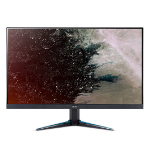 Acer NITRO VG0 VG280K computer monitor...
Login for pricing
Acer NITRO VG0 VG280K computer monitor...
Login for pricing
|
Recommended
Planar Systems PXL2230MW computer moni...
Login for pricing
|
Hot Product
Viewsonic TD2230 computer monitor 21.5...
Login for pricing
|
Bestseller
Planar Systems PCT2235 computer monito...
Login for pricing
|
Popular
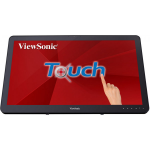
Viewsonic TD2430 computer monitor 23.6...
Login for pricing
|
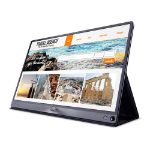 ASUS MB16AC computer monitor 15.6"...
Login for pricing
ASUS MB16AC computer monitor 15.6"...
Login for pricing
|
|---|---|---|---|---|---|---|
| SKU |
UM.PV0AA.001
|
997-7039-00
|
TD2230
|
997-8286-00
|
TD2430
|
MB16AC
|
| Manufacturer |
Acer
|
Planar Systems
|
Viewsonic
|
Planar Systems
|
Viewsonic
|
ASUS
|
| Display diagonal |
23" and more
|
21" to 23"
|
21" to 23"
|
21" to 23"
|
23" and more
|
15" to 17"
|
| Display resolution |
N/A
|
1920 x 1080 pixels
|
1920 x 1080 pixels
|
1920 x 1080 pixels
|
1920 x 1080 pixels
|
1920 x 1080 pixels
|
| Product colour |
Black
|
Metallic
|
Black
|
Black
|
Black
|
Grey
|
| Touchscreen |
N
|
Y
|
Y
|
Y
|
Y
|
N
|
| Built-in camera |
N/A
|
N/A
|
N
|
N
|
N
|
N/A
|
| Market positioning |
Gaming
|
N/A
|
N/A
|
N/A
|
N/A
|
N/A
|
| Display technology |
N/A
|
LED
|
LCD
|
LCD
|
LCD
|
LED
|
| Native aspect ratio |
16:9
|
N/A
|
16:9
|
N/A
|
16:9
|
16:9
|
| VESA mounting |
Y
|
N/A
|
Y
|
Y
|
Y
|
N
|
| NVIDIA G-SYNC |
N/A
|
N
|
N
|
N
|
N
|
N
|
| Built-in USB hub |
N/A
|
N/A
|
Y
|
N/A
|
Y
|
N
|
| AMD FreeSync |
Y
|
N
|
N
|
N
|
N
|
N
|